

Top 10 AI Photo Editing Prompts for Men’s Portraits with Professional Grade Retouching and Color Grading
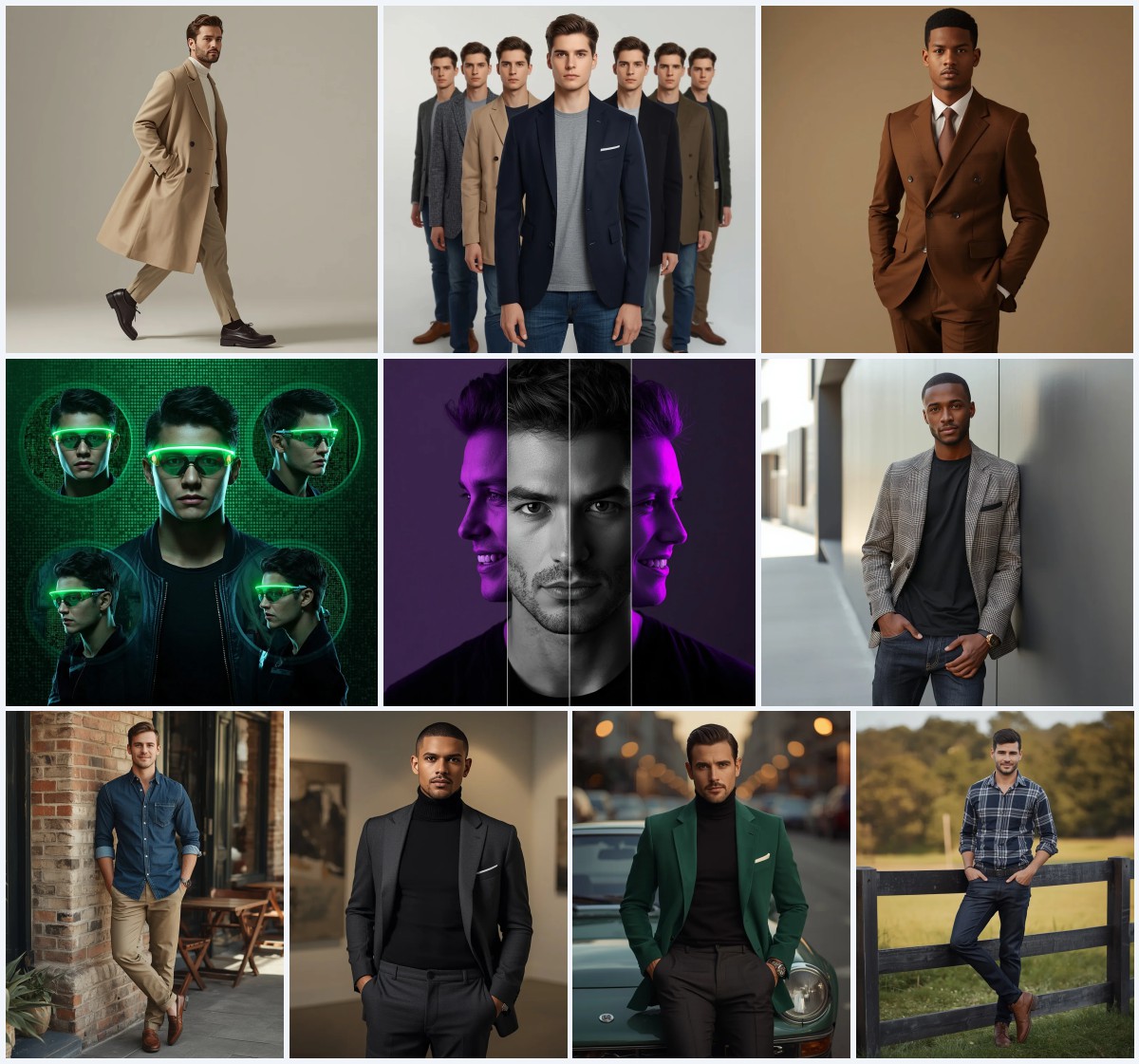
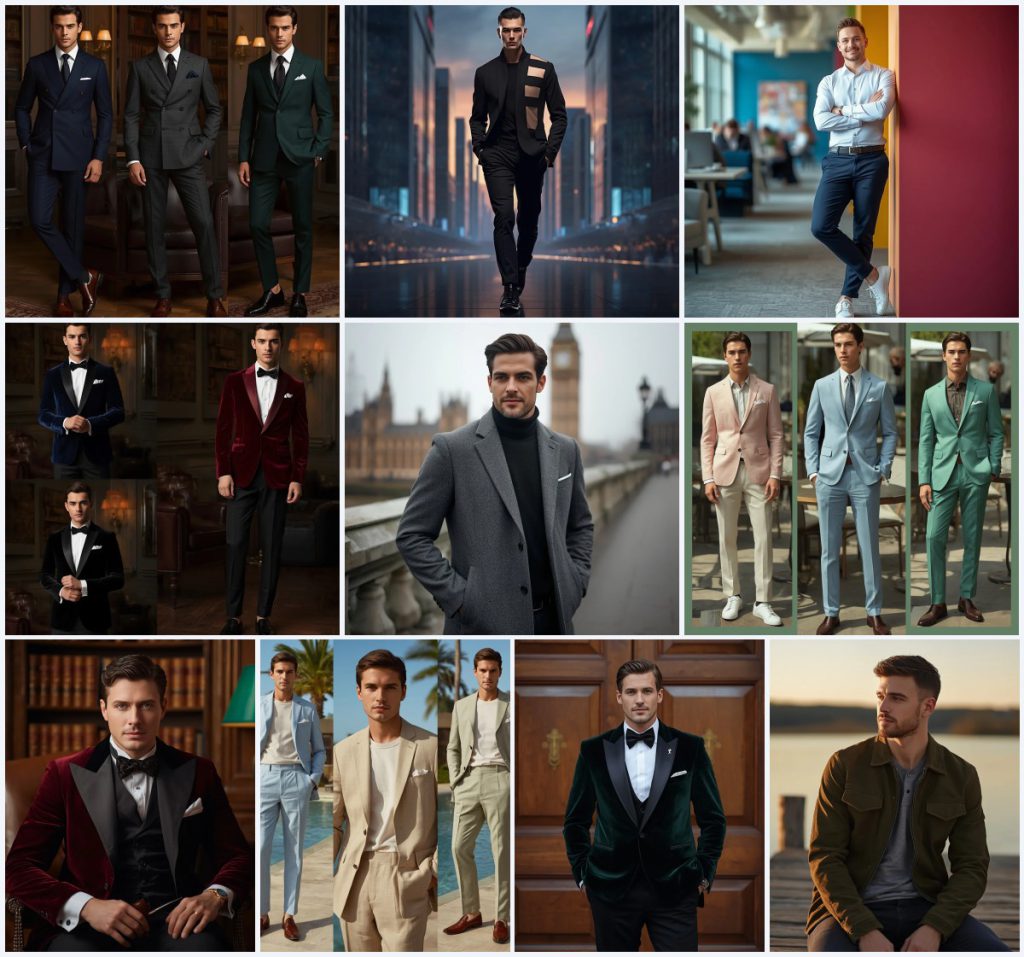
This collection gathers ten distinct AI photo editing prompts for men's portraits, each built around a specific scene, outfit, and lighting mood. The set moves from tailored wool suits in a luxury library to a futuristic cityscape, a vibrant co-working space, velvet tuxedos, a London bridge with Big Ben, pastel summer blazers, a burgundy smoking jacket, linen summer suits, a dark green velvet suit at an estate door, and an olive green suede jacket on a sunset pier.
Rather than treating every card as a separate project, you can read the set as one shared exercise in professional-grade retouching and color grading. The same core skills appear across the ten prompts: preserving fabric texture, controlling cinematic shadows, and keeping skin realistic while the background stays stylized. The notes below explain what the prompts ask for, how to approach them, and where AI generation usually goes wrong.
What these men's portrait prompts are asking for
Across the ten cards, the prompts ask for editorial-quality male portraits where clothing, setting, and light carry equal weight. Several prompts are collages that show one model in multiple outfits, while others are single-frame portraits with a strong location. The shared goal is a polished, magazine-like result that still reads as a photograph rather than a digital painting.
- Dark wool suits in midnight blue, charcoal grey, and forest green inside a luxury library with leather chairs and brass lamps.
- An avant-garde monochrome outfit with a structured black jacket and geometric cut-outs, set against glass skyscrapers and holographic displays.
- A smart casual look with a crisp white shirt, navy blue chinos, and minimalist sneakers in a bright co-working space.
- Velvet tuxedo styles including a midnight blue blazer, a deep burgundy dinner jacket, and a classic black tuxedo.
- A tailored grey tweed winter coat over a black cashmere sweater on a historic stone bridge with Big Ben in soft focus.
- Summer blazers in pastel pink linen, light blue unstructured suiting, and mint green, photographed at an outdoor café.
Where each portrait takes place
The settings range from interiors to open cityscapes, and each one changes how the subject should be lit. The library cards describe a quiet, warm environment with "dark leather chairs and warm brass lamps," while the futuristic prompt places the model under "a twilight sky" with "neon-infused lighting." The co-working card leans on "bright, diffused natural light from large windows," and the London portrait sits on a "cool, misty winter day" with "diffused lighting."
Other cards move outdoors into leisure spaces. The summer collage is set at "a chic outdoor café with soft natural light," and the linen suits appear at "a luxury outdoor resort with palm trees and a clear blue pool." The estate-door portrait uses "soft, natural daylight" to bring out velvet texture, and the pier scene relies on "warm low sunlight" at sunset. These location notes matter because they tell the model where shadows should fall and how warm or cool the color grade should be.
Why this set works for men's portrait editing practice
This collection is useful because it repeats the same portrait problem in ten different costumes and locations, so you can compare results across a controlled set. It also gives you clear, concrete cues for retouching and color grading instead of vague style words.
- Each prompt names specific fabrics and colors, which makes it easier to judge whether the AI preserved texture and tone.
- The mix of indoor and outdoor lighting teaches you how to adjust color grading for warm brass lamps versus cool misty daylight.
- The collage cards and single-frame cards together show how the same model can be presented in multiple outfits without losing consistency.
Three styles inside this collection
Three styles run through these cards: cinematic editorial, modern business lifestyle, and vintage luxury. Each one stays inside the prompt it belongs to, so you are not asked to blend them into a single image unless a card already does that.
- Cinematic editorial: The wool suit, velvet tuxedo, and linen collage cards use "cinematic shadows" and "rich fabric textures" to create a high-fashion magazine look.
- Modern business lifestyle: The co-working prompt builds a relaxed professional scene with "bright, diffused natural light" and a "friendly and approachable smile."
- Vintage luxury: The burgundy smoking jacket card describes "high-end vintage luxury" with a pipe, leather-bound books, and a green banker's lamp.
How to work through these prompts step by step
Treat each card as a small project: read the prompt, prepare a reference if you have one, generate, and then inspect the result before moving to the next card. The steps below apply to any of the ten prompts in the set.
- Copy the prompt. Paste the exact card text into your AI tool so the outfit, location, and lens notes stay intact.
- Upload a reference. If you are editing a real photo, upload it as a reference so the model keeps the subject's face and proportions.
- Generate the first pass. Run the prompt once with default settings to see how the model interprets the scene and lighting.
- Check the hands. Look for extra fingers, fused knuckles, or awkward pocket poses, especially in cards where hands are in pockets or adjusting cuffs.
- Check the face. Confirm that the eyes, jawline, and skin texture match the reference and that the expression fits the card's mood.
- Check the main object. Inspect the suit, jacket, or tuxedo for correct fabric texture, lapel shape, and color before final color grading.
Working from a reference photo
A reference photo keeps the portrait grounded in a real person, which matters when the prompt asks for ultra-realistic skin texture. Use a clear, well-lit image where the face and upper body are visible, and avoid heavy filters that hide skin detail.
- Choose a photo with even lighting so the AI can read facial features and skin tone accurately.
- Wear or show clothing similar to the target card if you want the model to preserve fabric folds and fit.
- Keep the background simple in the reference so the AI does not mix your original setting with the prompt's location.
Tools that handle these prompts well
Different platforms respond differently to fabric, lighting, and text instructions. The table below compares four common tools for this collection, with a note on what each one is useful for in these specific prompts.
| Tool | Access | Typical realism | Useful here for |
|---|---|---|---|
| ChatGPT | Web and app | Moderate to high | Rewriting or shortening a card such as the velvet tuxedo collage while keeping the luxury library setting. |
| Google Gemini | Web and app | High | Following long scene descriptions like the futuristic cityscape with holographic displays and neon-infused lighting. |
| Leonardo AI | Web | High | Testing fabric texture on the dark wool suits and the olive green suede jacket with adjustable style strength. |
| Midjourney | Discord and web | Very high | Producing editorial collages such as the pastel summer blazer set with consistent model identity across panels. |
Practical tips for better results
Small adjustments before generating can save a lot of retouching time. These tips focus on the materials and objects that appear most often in the collection.
- For the dark wool suits, add a note about visible weave and matte finish so the fabric does not turn glossy or plastic.
- For the velvet tuxedo and smoking jacket cards, mention how light should catch the nap of the velvet to keep the texture believable.
- For the linen summer suits, ask for natural wrinkles and a slightly dry surface so the fabric does not look like stiff paper.
Common issues and what to change
These prompts can fail in predictable ways, usually around fabric, lighting, and small details. The table below lists four common problems and the change that fixes them.
| Issue | What to change |
|---|---|
| Wool suit looks flat or plastic | Add a phrase about visible weave, matte finish, and soft directional light. |
| Velvet loses its nap and glow | Specify that light should graze the velvet surface and create a soft sheen along the lapels. |
| Linen looks stiff and wrinkle-free | Ask for natural creases, a dry surface, and relaxed drape in the jacket and trousers. |
| Background overwhelms the subject | Reduce background detail, increase depth of field, or move the subject forward in the frame. |
Frequently Asked Questions
Can I use these prompts for a single portrait instead of a collage?
Yes. The collage cards can be rewritten as single-frame portraits by removing the panel language and keeping one outfit, one pose, and one setting from the card.
Which card is easiest for a first attempt?
The co-working space prompt is a good starting point because the lighting is simple, the outfit is familiar, and the background blur hides small errors.
Do I need a reference photo to get realistic skin texture?
A reference helps a lot, especially for the cards that ask for ultra-realistic skin texture, but you can also generate from text alone and then retouch the face afterward.
Conclusion
This collection works best when you treat it as a set of related studies rather than ten unrelated images. Start with one card, study how the fabric and lighting behave, then move to the next and compare. Over time you will build a reliable workflow for retouching and color grading men's portraits, whether the scene is a luxury library, a futuristic cityscape, or a quiet pier at sunset.
Only edit photos you have the right to edit, and respect the privacy and consent of anyone whose face appears in your references.